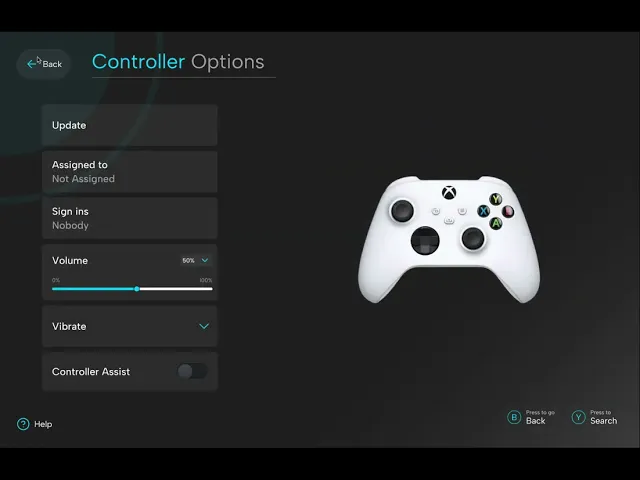
Internal
Internal
Accessibility Setting
Accessibility Setting
Xbox Console
Xbox Console
Introduction
Design Brief
Design Brief
This project focuses on redesigning internal accessibility features within gaming consoles to create an inclusive and seamless experience for users with diverse abilities.
This project focuses on redesigning internal accessibility features within gaming consoles to create an inclusive and seamless experience for users with diverse abilities.
What This Project Explores
Accessibility Gaps: Identified limitations in current internal systems.
Redesign Goals: Develop intuitive, user-friendly features that cater to diverse needs.
User-Centric Approach: Emphasising usability, learnability, and inclusivity based on prior studies and real-world feedback.
Accessibility Gaps: Identified limitations in current internal systems.
Redesign Goals: Develop intuitive, user-friendly features that cater to diverse needs.
User-Centric Approach: Emphasising usability, learnability, and inclusivity based on prior studies and real-world feedback.
“Accessibility in gaming is not just an option;
it’s a necessity to ensure inclusion and equity for everyone”
How do players with visual, auditory, or motor impairments navigate current systems???
How do players with visual, auditory, or motor impairments navigate current systems???
?
Auditory
Auditory
Visual
Visual
Learning
Reading
Reading
Emotional
Emotional
Physical
Physical
Learning
Existing Products
This is an in-depth analysis of all existing products in the market for individuals with diverse abilities.

Insights
Analysis of existing consoles, including Xbox, reveals limited options for:
Players with visual or auditory impairments.
Customisation of in-game and system-wide settings.
Dependence on external tools for accessibility.
Current internal accessibility settings do not provide intuitive solutions, often requiring external product or third-party software.
Problem Statement
Many current gaming consoles lack internal inclusive and accessibility settings, limiting the ability of individuals with diverse abilities to fully engage in and customise their gameplay experience.
Many current gaming consoles lack internal inclusive and accessibility settings, limiting the ability of individuals with diverse abilities to fully engage in and customise their gameplay experience.
Objective
To design inclusive and accessible gaming console features that helps players of all abilities to fully engage in and customise their gameplay experience.
To design inclusive and accessible gaming console features that helps players of all abilities to fully engage in and customise their gameplay experience.
So the question arises?
How might we design inclusive gaming console features that enhance internal accessibility settings, ensuring a seamless and equitable experience for players with diverse abilities?
How might we design inclusive gaming console features that enhance internal accessibility settings, ensuring a seamless and equitable experience for players with diverse abilities?
Research Methodology
Article
Research Paper
Observational Study
Medium & Linkedln Articles
For our research, we went through articles from Medium and LinkedIn to explore current technologies, user challenges, and advancements in accessibility features for gaming consoles. These platforms gave us real-world insights into issues faced by users.
For our research, we went through articles from Medium and LinkedIn to explore current technologies, user challenges, and advancements in accessibility features for gaming consoles. These platforms gave us real-world insights into issues faced by users.
Research Paper
We went trough google scholar and research gate to understand the challenges faced by individuals with gaming console and Disabilty
We went trough google scholar and research gate to understand the challenges faced by individuals with gaming console and Disabilty
Observational Study
To understanding their frustrations, pain points, and how they interact with current systems, we aimed to better grasp the ways people play and navigate gaming consoles, allowing us to design better.
To understanding their frustrations, pain points, and how they interact with current systems, we aimed to better grasp the ways people play and navigate gaming consoles, allowing us to design better.
Background study
70%
70%
Disabilities are using built-in
accessibility features
Disabilities are using built-in
accessibility features
66%
66%
Impairment say they face barriers or issues.
Impairment say they face barriers or issues.
50%
50%
Accessibility of a game has affected their decision to buy it.
Accessibility of a game has affected their decision to buy it.
Research by Scope survey conducted in December 2020 to a total of 1,326 people. https://www.scope.org.uk/campaigns/research-policy/accessibility-in-gaming
Research by Scope survey conducted in December 2020 to a total of 1,326 people. https://www.scope.org.uk/campaigns/research-policy/accessibility-in-gaming
Literature study
We went through 8 research paper. The is to aims to identify what information is available in game controllers, and pinpoint what prior knowledge one might need to set one up.
Evaluate two significant research papers that address accessibility in gaming for disabled players, This study focusing on specific challenges faced by individuals with different gaming console with their disabilities.
We went through 8 research paper. The is to aims to identify what information is available in game controllers, and pinpoint what prior knowledge one might need to set one up.
Evaluate two significant research papers that address accessibility in gaming for disabled players, This study focusing on specific challenges faced by individuals with different gaming console with their disabilities.
Paper 1
Developing a Modular Gaming Handheld for Gamers with Muscular Dystrophy (Author: Cedric E. S. Omtzigt)
The research paper highlights the critical need for adaptable and user-centered gaming interfaces. The proposed modular controller by author, which allows users to customise button schemes, aligns with goal of creating inclusive settings to diverse accessibility needs.
With this author had more emphasis on motor function loss in DMD underscores the importance of designing systems that remain usable as user capabilities change over time. So with this paper we more focus on user feedback and iterative design directly informs your approach to ensuring practical usability and inclusivity for all gamers.
Developing a Modular Gaming Handheld for Gamers with Muscular Dystrophy (Author: Cedric E. S. Omtzigt)
The research paper highlights the critical need for adaptable and user-centered gaming interfaces. The proposed modular controller by author, which allows users to customise button schemes, aligns with goal of creating inclusive settings to diverse accessibility needs.
With this author had more emphasis on motor function loss in DMD underscores the importance of designing systems that remain usable as user capabilities change over time. So with this paper we more focus on user feedback and iterative design directly informs your approach to ensuring practical usability and inclusivity for all gamers.
Paper 2
The Play Experiences of Disabled Players – Dealing with Accessibility Barriers and Solutions (Author: Markus Kämäräinen)
Problem - This highlights the persistent accessibility barriers in gaming and the need for continuous improvements.
The study identifies challenges such as difficulties with controls, receiving information, and sensory discomfort issues that align with the importance of designing flexible and user-centered settings for gaming consoles.By addressing these barriers through enhanced accessibility features, the study contributes to fostering an inclusive gaming environment, with this research's advocacy for a more inclusive gaming culture.
The Play Experiences of Disabled Players – Dealing with Accessibility Barriers and Solutions (Author: Markus Kämäräinen)
Problem - This highlights the persistent accessibility barriers in gaming and the need for continuous improvements.
The study identifies challenges such as difficulties with controls, receiving information, and sensory discomfort issues that align with the importance of designing flexible and user-centered settings for gaming consoles.By addressing these barriers through enhanced accessibility features, the study contributes to fostering an inclusive gaming environment, with this research's advocacy for a more inclusive gaming culture.
Both papers emphasize the importance of user-centered design in developing solutions that enhance gaming experiences for disabled players and a existing barriers that hinder accessibility and propose innovative solutions tailored to specific disabilities.
The findings from both papers contribute significantly to understanding and improving gaming accessibility for disabled individuals. They advocate for a more inclusive approach in game design and technology development.
Articles
Colourblind
Modes
Colourblind
Modes
Colour adjustments to distinguish
Colour adjustments to distinguish
Customisation
Text Size
Customisation
Text Size
Text size based on their vision and screen
Text size based on their vision and screen
Addition to colour for differentiation.
Addition to colour for differentiation.
Symbols and
Patterns
Symbols and
Patterns
Provide vibration or sound indicators for events.
Provide vibration or sound indicators for events.
Haptic and
Audio Cues
Haptic and
Audio Cues
Enhance visibility in varying lighting conditions
Enhance visibility in varying lighting conditions
Contrast
Adjustments
Contrast
Adjustments
Visual Accessibility Features
Audio Accessibility Features
Speed
and Length
Speed
and Length
Subtitles are easy to read, not exceeding 37 characters per line.
Subtitles are easy to read, not exceeding 37 characters per line.
Speaker
Identification
Speaker
Identification
Use names or colours to distinguish speakers
Use names or colours to distinguish speakers
Captions for sounds like footsteps,
gunfire.
Captions for sounds like footsteps,
gunfire.
Captions
for All Sounds
Captions
for All Sounds
Allow separate controls for music, speech, and sound effects
Allow separate controls for music, speech, and sound effects
Volume Control
Volume Control
Additional sensory feedback alongside
Additional sensory feedback alongside
Haptic
Feedback
Haptic
Feedback
Motor Accessibility Features
Multiple Input
Device Support
Multiple Input
Device Support
Allow various controllers to accommodate different abilities.
Allow various controllers to accommodate different abilities.
Control
Remapping
Control
Remapping
Customise their controls to suit their physical needs.
Customise their controls to suit their physical needs.
Offer sensitivity adjustments for better control.
Offer sensitivity adjustments for better control.
Adjustable
Sensitivity
Adjustable
Sensitivity
Provide toggles for actions that require sustained or rapid button presses, to avoid discomfort.
Provide toggles for actions that require sustained or rapid button presses, to avoid discomfort.
Disable Button
Holding/
Repeated Presses
Disable Button
Holding/
Repeated Presses
Onscreen keyboards or voice recognition for easier text input.
Onscreen keyboards or voice recognition for easier text input.
Alternative
Text Input
Alternative
Text Input
Motor Accessibility Features
Flashing Light/
Pattern Disable
Flashing Light/
Pattern Disable
Toggling of visual effects that may trigger photosensitive epilepsy
Toggling of visual effects that may trigger photosensitive epilepsy
Readable Fonts
& Clear Language
Readable Fonts
& Clear Language
Use clean, readable fonts and avoid all caps or lowercase to assist players.
Use clean, readable fonts and avoid all caps or lowercase to assist players.
Let players turn off effects like head bob, screen shake.
Let players turn off effects like head bob, screen shake.
Disable Motion
Effects
Disable Motion
Effects
Adjustable difficulty, clear instructions, and the ability to replay tutorials for extra support.
Adjustable difficulty, clear instructions, and the ability to replay tutorials for extra support.
Adjustable Difficulty
& Tutorials
Adjustable Difficulty
& Tutorials
Revisit missed or forgotten game parts.
Revisit missed or forgotten game parts.
Re-playable
scenes
Re-playable
scenes
Methodology
Designing an inclusive experience for users with diverse abilities that follows a user-centered approach focused on accessibility and usability. The study, involving 10 participants (mean age: 20.1), including 6 with diverse abilities, began with secondary research on standards like WCAG 2.2 and ISO guidelines. Observational studies identified key gaps, ideation, prototyping, and iterative testing of solutions. Feedback ensured practicality and inclusivity, while final evaluations against accessibility standards validated the solutions as effective and meaningful.
Designing an inclusive experience for users with diverse abilities that follows a user-centered approach focused on accessibility and usability. The study, involving 10 participants (mean age: 20.1), including 6 with diverse abilities, began with secondary research on standards like WCAG 2.2 and ISO guidelines. Observational studies identified key gaps, ideation, prototyping, and iterative testing of solutions. Feedback ensured practicality and inclusivity, while final evaluations against accessibility standards validated the solutions as effective and meaningful.
Testing
Ideate
Empathize
Define
Prototype
Participant Demographic
2
Colourblind
3
Low Vision
2
Dyslexia

Gap identification
Settings should be easy currently seems overwhelming,
Many accessibility features are not adequately explained, which leave users uncertain about how to adjust settings for their specific needs.
Onboarding tutorials for accessibility features in Xbox games is not exist, making it difficult for users to understand and utilise these settings effectively.
Lack of diversity of languages among team members.
Settings for audio volume are the norm anyways. So people who can’t stand the noise level can turn off the music.
Once the user enter in any option there is no indicator to how to go back.
Buttons and text box is difficult to differentiate as both appears same.
Settings should be easy currently seems overwhelming,
Many accessibility features are not adequately explained, which leave users uncertain about how to adjust settings for their specific needs.
Onboarding tutorials for accessibility features in Xbox games is not exist, making it difficult for users to understand and utilise these settings effectively.
Lack of diversity of languages among team members.
Settings for audio volume are the norm anyways. So people who can’t stand the noise level can turn off the music.
Once the user enter in any option there is no indicator to how to go back.
Buttons and text box is difficult to differentiate as both appears same.
Task Analysis

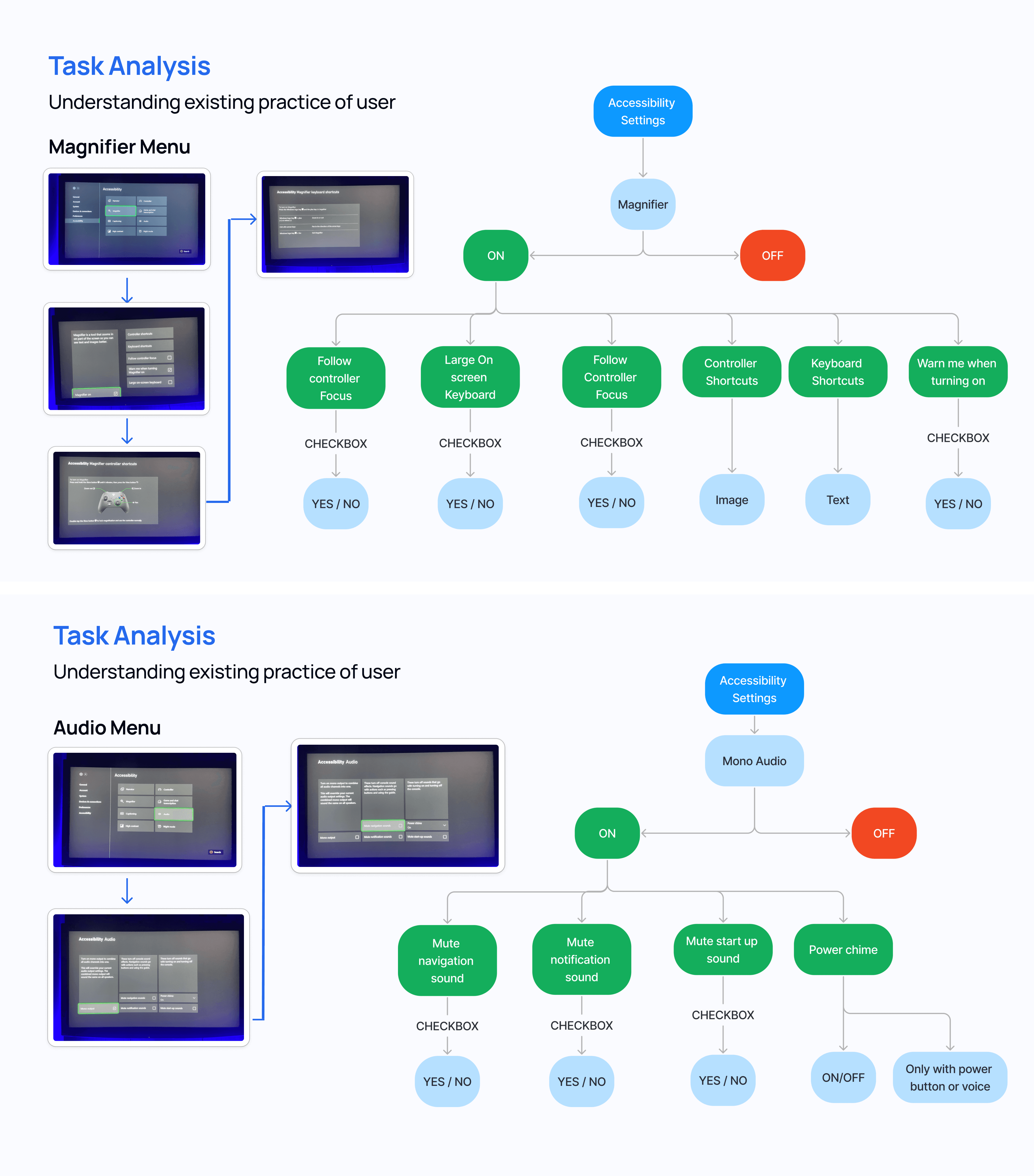


Understanding the accessibility gaps
Why
We selected WCAG and ISO standards to guarantee that the Xbox UI is accessible, inclusive, and aligns with global best practices. WCAG ensures digital accessibility for users with diverse abilities, while ISO 9241-171 enhances usability and multimodal feedback, delivering a seamless experience for everyone.
We selected WCAG and ISO standards to guarantee that the Xbox UI is accessible, inclusive, and aligns with global best practices. WCAG ensures digital accessibility for users with diverse abilities, while ISO 9241-171 enhances usability and multimodal feedback, delivering a seamless experience for everyone.
Identifying issues

Unlabelled Icons
Unlabelled Icons
Low Contrast Foreground and Background
Low Contrast Foreground and Background
Low Contrast Foreground and Background
Low Contrast Foreground and Background
No help Button
No help Button
No navigation to get back
No navigation to get back
Accessible Interaction: Should ensure alternative navigation methods
Accessible Interaction: Should ensure alternative navigation methods
Low icon size and text
Low icon size and text
Accessibility audit

Common Issues found
There are some common Accessibility issues identified in current screen which does not meet the accessibility guideline. To make it more intuitive and accessible we understand and audit them also. Here is the complete details about it.

FINAL DEsign
Design Considerations
The design considerations were based on the understanding that users face significant accessibility challenges, as identified in previous studies highlighting gaps in current internal accessibility systems.
The redesigned system is thoughtfully created following an in-depth study of usability, accessibility, and learnability, equitable ensuring it takes care of diverse abilities of all users.
The design considerations were based on the understanding that users face significant accessibility challenges, as identified in previous studies highlighting gaps in current internal accessibility systems.
The redesigned system is thoughtfully created following an in-depth study of usability, accessibility, and learnability, equitable ensuring it takes care of diverse abilities of all users.
Mid Fidelity
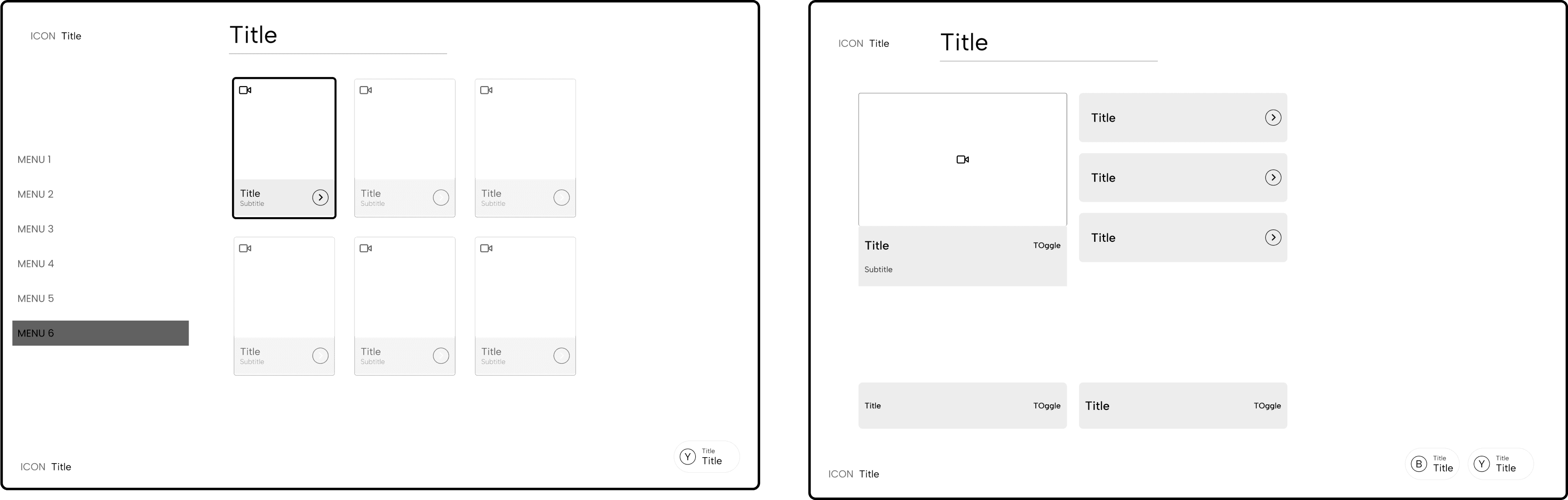
Design System


High Fidelity
Audit of New UI

Testing
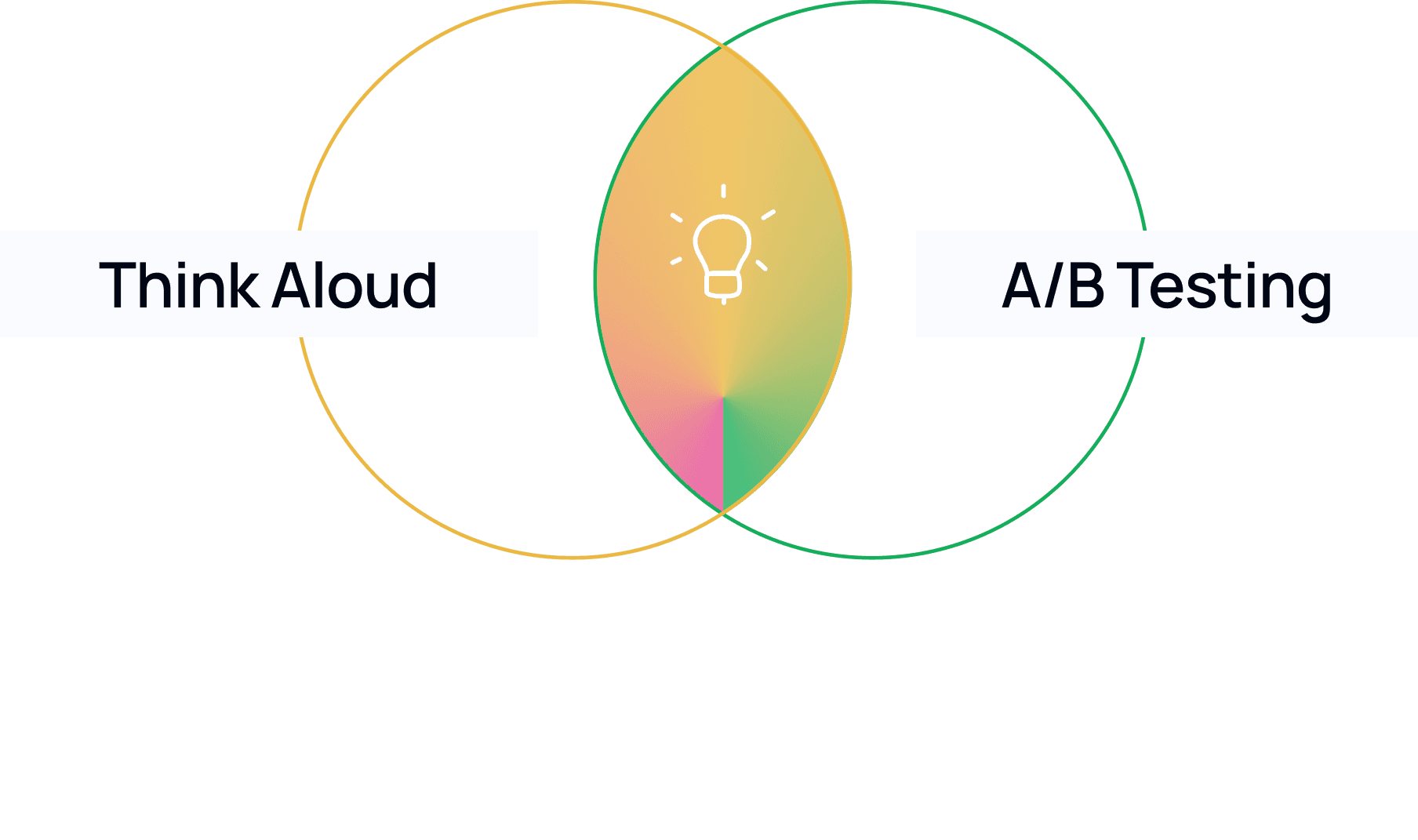
Participant Demographic
2
Colourblind
3
Low Vision
2
Dyslexia

A/B Testing

Think Aloud for old interface

Think Aloud for New interface

Future Scope
Implementing ongoing usability testing and feedback loops from users with disabilities to refine and improve the system.
Adding technologies like eye-tracking, voice commands, and haptic feedback to enhance accessibility.
Aligning with global standards and regulations to ensure the system is universally accessible, regardless of region or device.
Implementing ongoing usability testing and feedback loops from users with disabilities to refine and improve the system.
Adding technologies like eye-tracking, voice commands, and haptic feedback to enhance accessibility.
Aligning with global standards and regulations to ensure the system is universally accessible, regardless of region or device.
"Accessible gaming isn’t just about features—it’s about helping a community where everyone belongs."
THANK YOU
If there’s any question please kindly to ask me. Let’s Discuss
waffledesigns12@gmail.com or +91 96991 82986
THANK YOU
If there’s any question please kindly to ask me. Let’s Discuss
waffledesigns12@gmail.com or +91 96991 82986